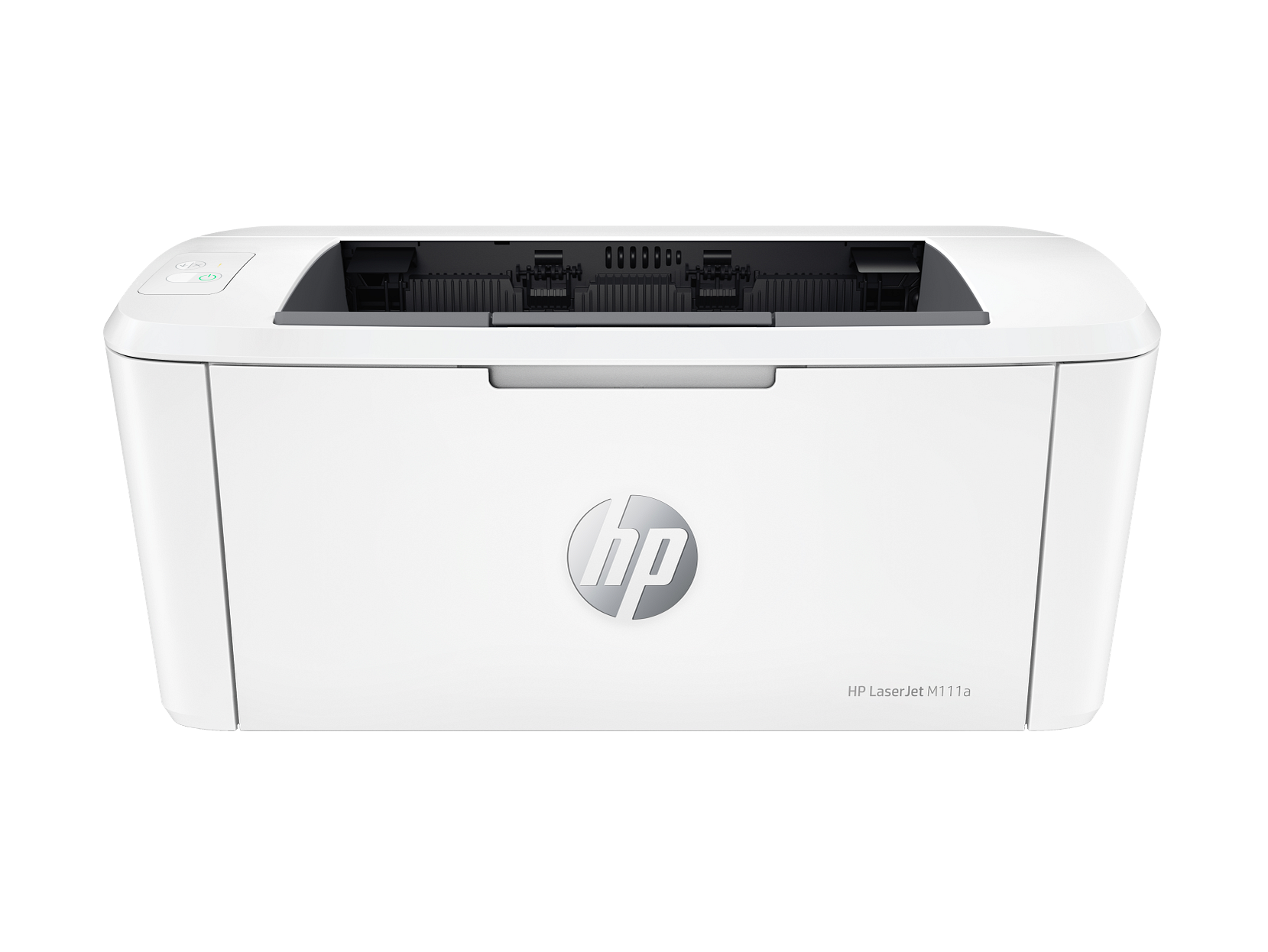
HP LaserJet M111a Printer, Print, USB Interface - Model No: 7MD67A
- HP LaserJet M111a — Compact Mono Laser Printer | USB | Model 7MD67A The HP LaserJet M111a (7MD67A) is a personal mono laser printer built for home offices, small workspaces, and individuals who need fast, reliable black-and-white output from an exceptionally small footprint. It prints at up to 20 pages per minute on A4, connects via USB 2.0, and weighs just 3.79 kg — making it one of the lightest and most space-efficient personal laser printers in its class. Furthermore, the HP Smart App supports mobile printing and scanning from a smartphone, so the M111a delivers more flexibility than its simple two-button control panel might suggest. Technical Specifications Mono Laser Print Performance Specification Detail Print Technology Laser (mono) Print Speed — Mono (A4, normal) Up to 20 ppm First Page Out — Ready As fast as 8.5 seconds First Page Out — Sleep As fast as 9.1 seconds Print Resolution Up to 600 × 600 dpi Resolution Technology HP FastRes 600 Print Languages PCLm, PCLmS, URF, PWG Print Area 216 × 355.6 mm (2 mm margins on all sides) Duplex Printing No Monthly Duty Cycle Up to 8,000 pages (A4) Recommended Monthly Volume 100 to 1,000 pages Connectivity Specification Detail USB 1 × Hi-Speed USB 2.0 Wireless None Mobile Printing HP Smart App, Apple AirPrint, Wi-Fi Direct, Mopria Certified (via mobile device connection) Hard Disk None Control Panel and Memory Specification Detail Control Panel 2 LEDs (Attention, Ready); 2 buttons (Cancel, Power) Processor 500 MHz Memory 16 MB SDRAM 16 MB Flash ROM 32 KB NVRAM Media Handling Specification Detail Input Tray 150 sheets (standard and maximum) Envelope Capacity (Input) Up to 10 envelopes Output Bin 100 sheets Envelope Capacity (Output) Up to 10 envelopes Media Weight 65–120 g/m² Supported Media Types Plain paper, envelopes, postcards, labels Supported Media Sizes A4, A5, A6, envelopes (C5, DL); custom 105 × 148 mm to 216 × 355.6 mm Physical and Environmental Specification Detail Dimensions — Minimum (W × D × H) 346.3 × 189.3 × 158.9 mm Dimensions — Maximum (W × D × H) 346.3 × 360 × 280 mm Printer Weight ~3.79 kg Operating Temperature 15°C to 32.5°C Operating Humidity 30% to 70% RH Storage Temperature −20°C to 60°C Acoustic Pressure 48 dB(A) during operation Power Input 220–240V AC, 50–60 Hz Energy Certification ENERGY STAR qualified, EPEAT Silver, Blue Angel Compatible Operating Systems Windows 11, Windows 10, Windows 7 (32-bit and 64-bit); macOS Catalina (10.15), macOS Big Sur (11.0), macOS Monterey (12.0); Linux; Windows Server 2008 R2 through Windows Server 2016 (64-bit). Toner Cartridge Cartridge SKU Yield HP 150A Black LaserJet Toner W1500A ~975 pages In the Box HP LaserJet M111a printer; HP Black LaserJet Toner Cartridge (starter yield: ~500 pages); power cord; setup poster; reference guide; warranty guide. USB cable not included — purchase separately. Who Is the HP M111a Compact Laser Printer For? Personal and Home Office Mono Printing The M111a is best suited to a single user printing everyday documents — correspondence, invoices, reports, and reference materials — at volumes of 100 to 1,000 pages per month. The 150-sheet input tray handles a full ream of A4 at standard 80 gsm weight, so daily print jobs run without constant paper reloading. Space-Constrained Desks and Shared Workspaces At under 350 mm wide and weighing under 4 kg, the M111a fits on a desk shelf, a narrow side table, or a shared hot-desk without taking up a disproportionate amount of space. Additionally, its light weight makes it straightforward to move between rooms or pack up temporarily when not in use. Mobile-First Printing via HP Smart App Users who primarily work from a smartphone or tablet can additionally use the HP Smart App to send print jobs directly to the M111a, access cloud storage, and take photos to use as copies. This makes the device functional as a personal printer even without a permanently connected computer. Low-Volume Business Use at a Personal Desk Freelancers, consultants, and remote workers who need a dedicated personal laser printer — rather than sharing a departmental device — will find the M111a covers standard document printing reliably within its recommended duty cycle. However, teams or shared environments with higher volumes should consider a higher-capacity model. HP LaserJet M111a — Considerations Before Buying USB Only — No Built-In Wireless or Ethernet The M111a has a single USB 2.0 port and no wireless or wired network interface. Consequently, the printer connects to one computer at a time via cable. Mobile printing via the HP Smart App, AirPrint, and Mopria is supported, however this requires the mobile device and printer to communicate via Wi-Fi Direct — it does not connect to a router or network. Teams needing a shared, networked printer should look at a model with built-in Ethernet or Wi-Fi instead. No Duplex Printing Automatic or manual two-sided printing is not supported on this model. Every double-sided document therefore requires the user to manually flip and reload pages. For users with occasional duplex needs this is manageable, however it becomes a meaningful inconvenience at higher volumes. Starter Toner Yield Is Half the Standard Cartridge The in-box toner cartridge has a starter yield of approximately 500 pages — roughly half the rated yield of the standard HP 150A replacement cartridge (~975 pages). Buyers should factor the cost of a full replacement cartridge into their initial budget, as the starter toner will deplete relatively quickly for regular users. Media Weight Range Is Narrower Than Many Laser Printers The M111a supports media between 65 and 120 g/m² only. This excludes heavier cardstock, thick envelopes, and many specialty media types that other laser printers in adjacent price ranges accommodate. For standard office paper and standard envelopes this is not a concern, but buyers who regularly print on heavier stock should verify compatibility before purchasing. Dynamic Security Restricts Non-HP Toner HP has enabled Dynamic Security on the M111a. As a result, cartridges using non-HP chips or circuitry may not function, and firmware updates can block cartridges that previously worked. Buyers relying on third-party compatible toner to manage running costs should note this clearly before committing to this model.
CD - THE BELFAST SESSIONS
This, our latest collection of songs, was recorded at RedBox Studios in Belfast. We’ve wanted to record there for awhile now and finally the timing was right for all. Dónal O’Connor one of the owners, produced it with expertise, poise, patience and not a few threats, the main one being “no more Guinness till youse get this track right.” Inspirational words indeed! He was somehow able to corral us and steer us in the right direction on each song. I’m sure he’d love to work with us again – maybe! We had a great time all together recording there, and hopefully dear fans you’ll enjoy listening. In these uncertain times remember, music hath charms to soothe a savage breast. I think that was a quote from Paul McCartney, or possibly Bob Dylan. Enjoy!
The Belfast Sessions (2025)
Track Listing:
- BOYS OF BELFAST
- BELFAST BOOZELEERS
- DOWN BY THE LAGAN SIDE
- IRISH NAVIES
- MY BELFAST LOVE
- A NIGHT IN BUSHMILLS
- NO DOUBT ABOUT IT
- I’LL TELL YOU BOYS IT’S WHISKEY
- PRODIGAL SON
- NEW LINE TO DUBLIN
- PADDY’S DREAM
- SONG FOR BELFAST
- DAYTRIP TO BELFAST